Help buyers picture life in an empty room.
An empty room can make it difficult to imagine its potential. Use virtual staging to prepare a presentation from an existing room photo. Compare alternatives in the same sample room before choosing a style.
Style previews are free · Staging your own photo requires a subscription and credits
One room. Different ways to live.
These are prepared previews of the same sample room. To generate a result from your own photo, continue to the application. Your result may differ.
Five styles
Explore modern, Scandinavian, Mediterranean, country and minimal options in the same sample room.
Use existing photos
Prepare an AI furnishing concept without moving physical furniture.
Review and disclose
Keep the original image and explain that the furnished image is a virtual presentation.
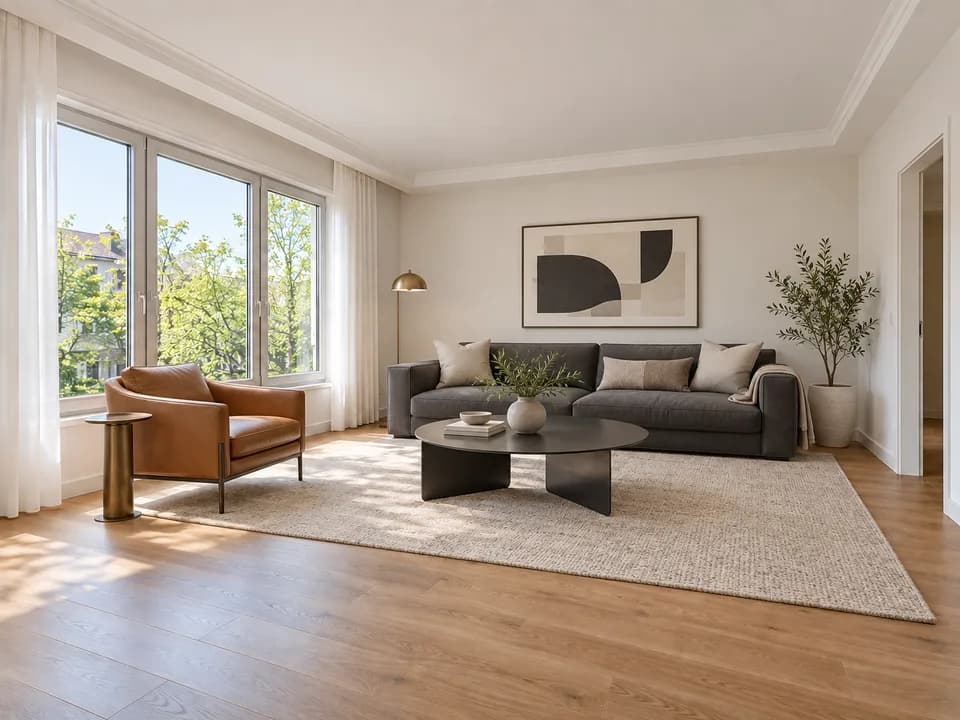 Prepared style preview
Three clear steps.
- 01
Choose a room photo
Upload a clear image showing the room boundaries and architectural details.
- 02
Compare styles
Explore the sample previews and choose a style to apply in the application.
- 03
Generate and review
Check windows, doors and room details against the original. Disclose virtual staging when sharing.
Before publishing
Virtual staging does not represent physical renovation or furniture included with the property. Disclose the AI edit and verify architectural details before publishing.
Your questions, answered.
What is virtual staging?
It digitally adds furniture and decor to an empty-room photo to illustrate a possible use of the space. The physical property does not change.
Can I preview styles in my own room for free?
This page compares prepared sample-room previews. Virtual staging on your own photo requires a subscription and credits. Conditions are shown in the application before production.
Which styles are available?
Modern, Scandinavian, Mediterranean, country and minimal style previews.
How should I describe staged photos?
Clearly identify them as virtual staging or an AI furnishing concept, and also provide the original empty-room photo.